 Next Car Dashboard
How to add a modern screen to an older car
If your car only has a radio, or a stereo with no touchscreen and no smartphone integration, you have four realistic options. Here's what each costs and when it makes sense.
The four options
| Option | Typical cost | Good | Not so good |
|---|---|---|---|
| 1. Replace the head unit with an aftermarket touchscreen stereo that supports Apple and Android phone integration | About $150–600, plus fitting (often $100+) and a dash kit | Factory-like result, steering-wheel controls, built in | Most expensive; may not fit unusual dashboards; classic cars lose their original stereo |
| 2. Portable dash screen: a 7–10" screen that sits on the dash and mirrors your phone's car mode wirelessly | About $60–250 | No wiring into the car; big readable screen | Another gadget, cables and suction mounts; small screens; quality varies a lot |
| 3. Phone mount + maps app | About $15–40 | Cheapest, quick | A phone app isn't designed as a car screen: small targets, no speedometer or dashboard, switching apps while driving |
| 4. iPad or iPhone + a car dashboard app such as Next Car Dashboard | A mount ($20–40) and a charger; the app is a free download with an optional one-time purchase | Uses a device you already own; big landscape screen on iPad; navigation, music, speedometer, trips and dashcam in one driver-focused screen | It's a device on a mount, not built into the dash; a Wi-Fi iPad needs GPS from your iPhone or a receiver |
Quick answer: if you want a permanent, built-in result and don't mind spending a few hundred dollars, replace the head unit. If you already have an iPad or a spare iPhone, option 4 gets you a big modern car screen today for the price of a mount.
Step by step: use an iPad or iPhone as your car screen
1. Choose the device
A cellular iPad has built-in GPS and is the easiest choice. A Wi-Fi iPad has no GPS chip; pair the free Next Companion app on your iPhone (or use an external Bluetooth GPS receiver) and Next uses that location. An iPhone works on its own, and Next has full iPhone layouts in portrait and landscape.
2. Mount it safely
Dashboard, air-vent, CD-slot and cup-holder mounts all work. For an iPad, pick a sturdy tablet mount. Keep the screen low enough that it doesn't block your view of the road, and never in front of an airbag. Check your local rules on where devices may be mounted.
3. Get the sound into the car
- Bluetooth if your stereo has it.
- AUX cable (with a USB-C or Lightning adapter) if it has a 3.5 mm input.
- FM transmitter or cassette adapter for very old stereos.
4. Power
Use a USB car charger with enough output for a tablet (20 W or more) so the battery keeps up with navigation and the screen on long drives.
5. Set up Next Car Dashboard
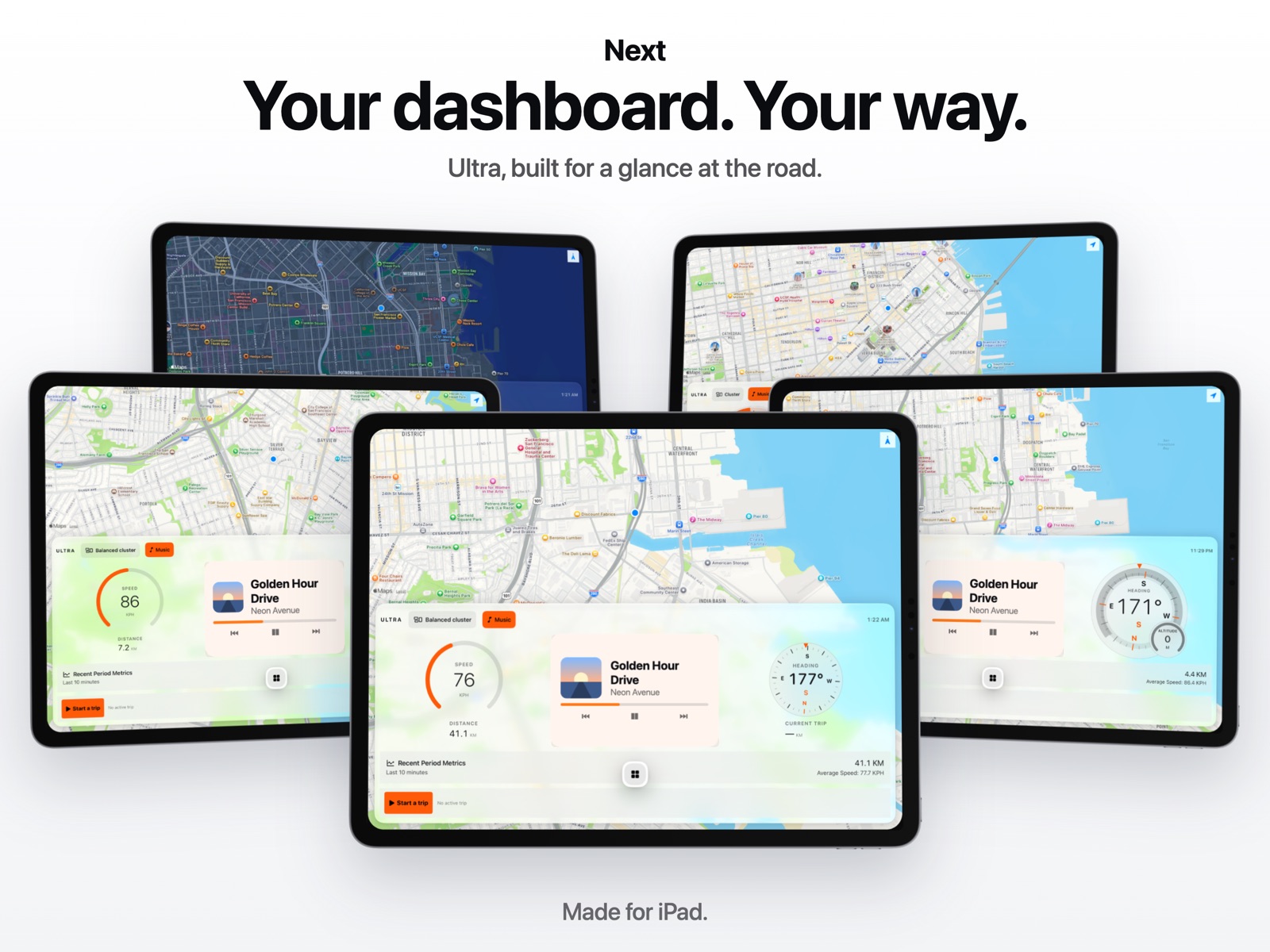
Install Next Car Dashboard, allow location access, pick a design (Barcelona, Ultra, Miami or Chikka, in light or dark), connect Apple Music or Spotify, and save home and work. Optionally turn on NextCam to record dashcam video with the front and back cameras.
6. Drive
Set your destination and music before you start. Next shows turn-by-turn directions (Google Maps), speed and speed limits, trip stats and music on one glanceable screen.
Common questions
Will an iPad show on my car's original display?
No. With options 3 and 4 the iPad or iPhone is the screen. Only a new head unit (option 1) changes the car's own display.
Do I need an OBD adapter for the speedometer?
No. Next's speedometer, altitude, heading and trip stats come from GPS, so nothing plugs into the car.
What about classic cars?
An iPad or iPhone on a removable mount is popular with classic-car owners because the original dashboard and radio stay untouched.