 Next Car Dashboard
Your car never had a screen. Your iPad can be one.
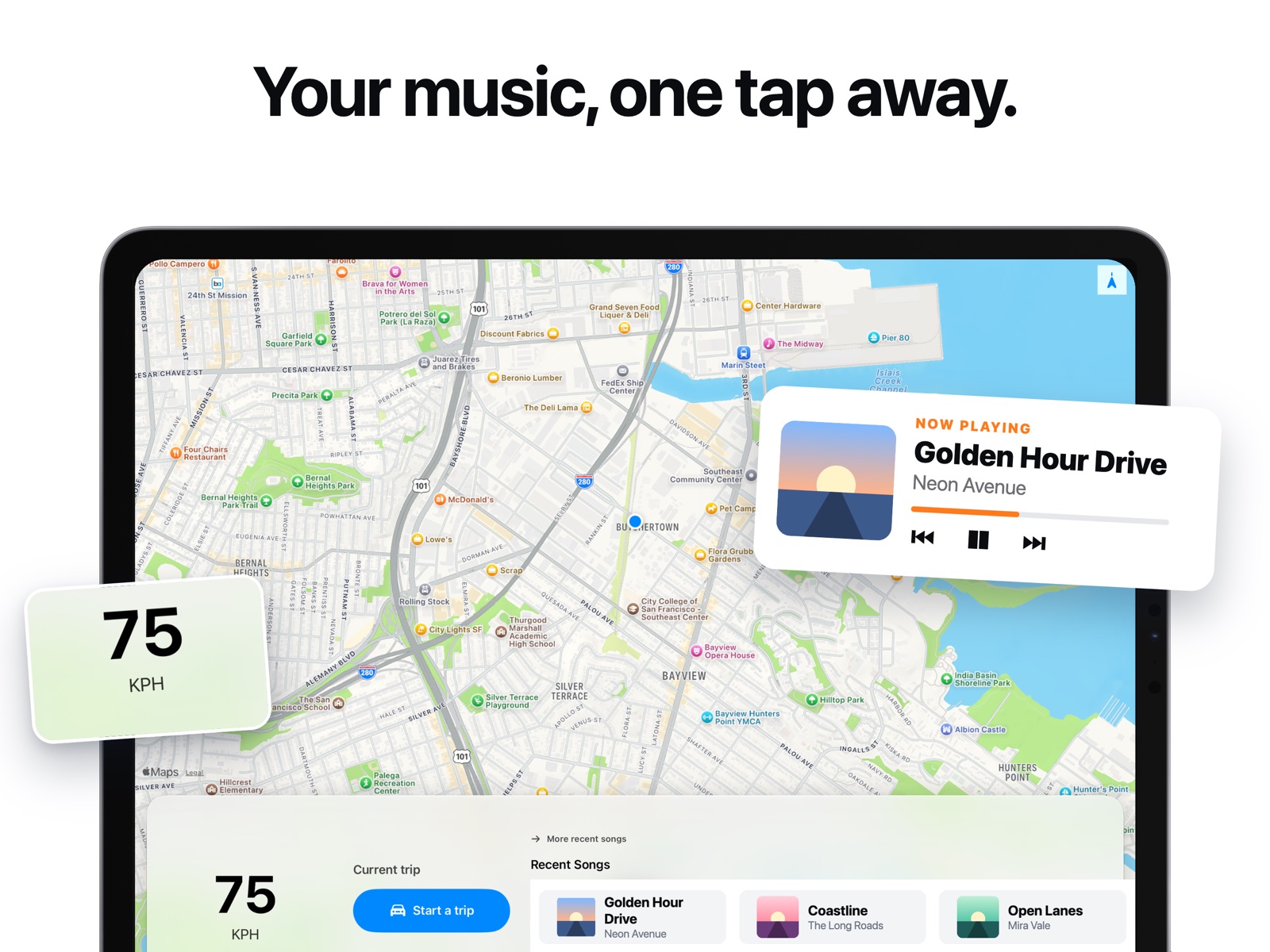
Next Car Dashboard turns the iPad or iPhone you already own into a modern car dashboard for older cars: turn-by-turn navigation, music, a live GPS speedometer, trip stats and a dashcam, in one glanceable driver-focused display. Mount it, open Next, drive.
Download on the App Store How to set it up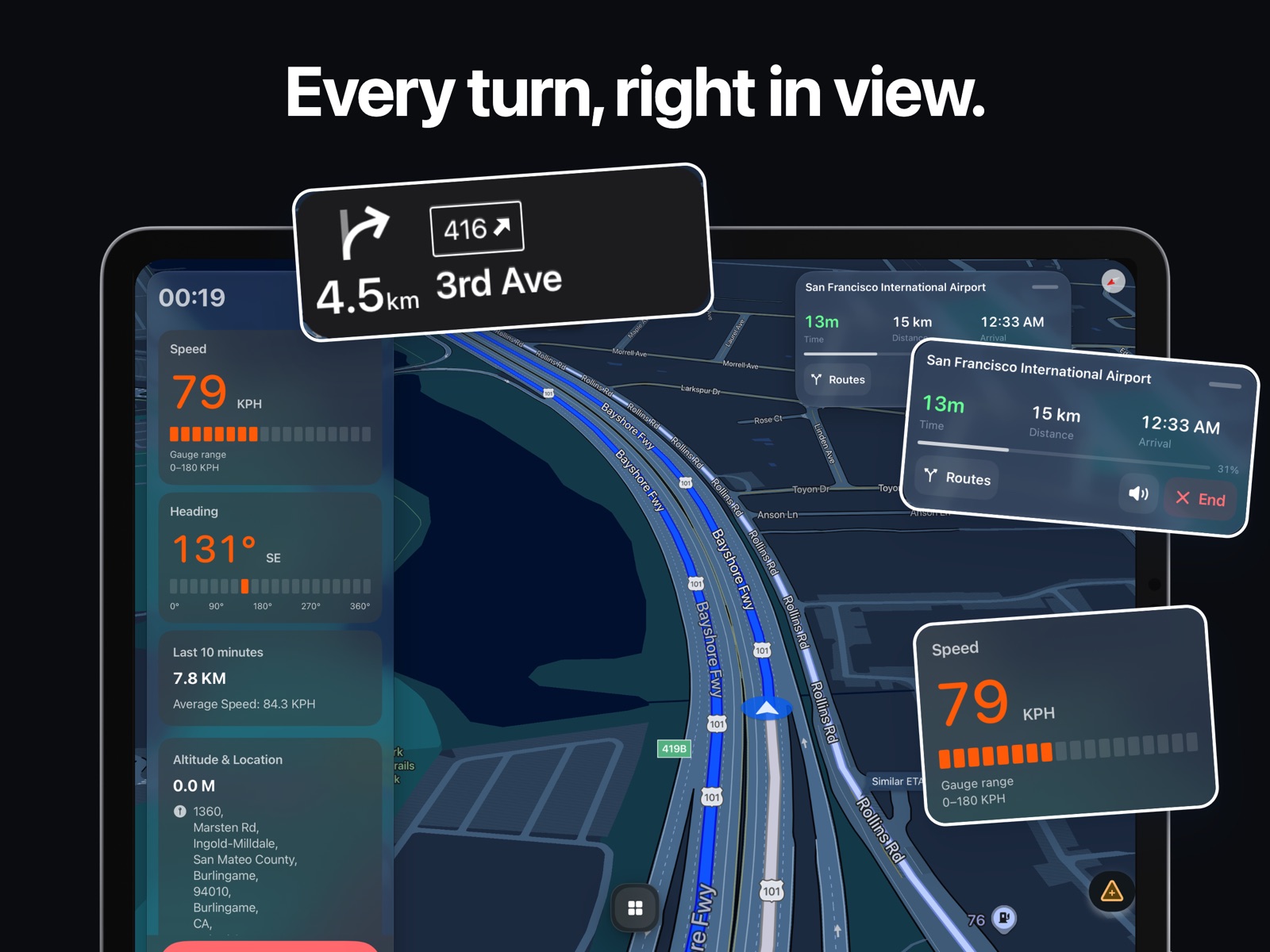
Who it's for
Older cars
Cars with only a radio or a basic stereo and no smartphone integration. No new head unit, no wiring, no install shop.
iPad owners
Built for iPad first: a big, landscape car screen from a tablet you already have. iPhone layouts are included too.
People who hate subscriptions
Free to download, and Next Pro is a one-time Lifetime purchase. Your location stays on your device.
What it does
Navigation and maps
- Turn-by-turn navigation with Google Maps
- Apple Maps for browsing and search
- Windshield view that tilts the map to the road ahead
- Speed limits, current road and address
- Saved places like home and work
Music
- Apple Music and Spotify with big artwork and simple controls
- Internet radio
- An immersive full-screen music dashboard
Speedometer and trip computer
- GPS speedometer, altitude, heading, g-force
- Automatic trips with graphs, top and average speed
- Fuel cost tracking
- No OBD sensor needed; metric and imperial
NextCam dashcam
- Records with the front and back cameras at the same time
- Videos are saved to Photos
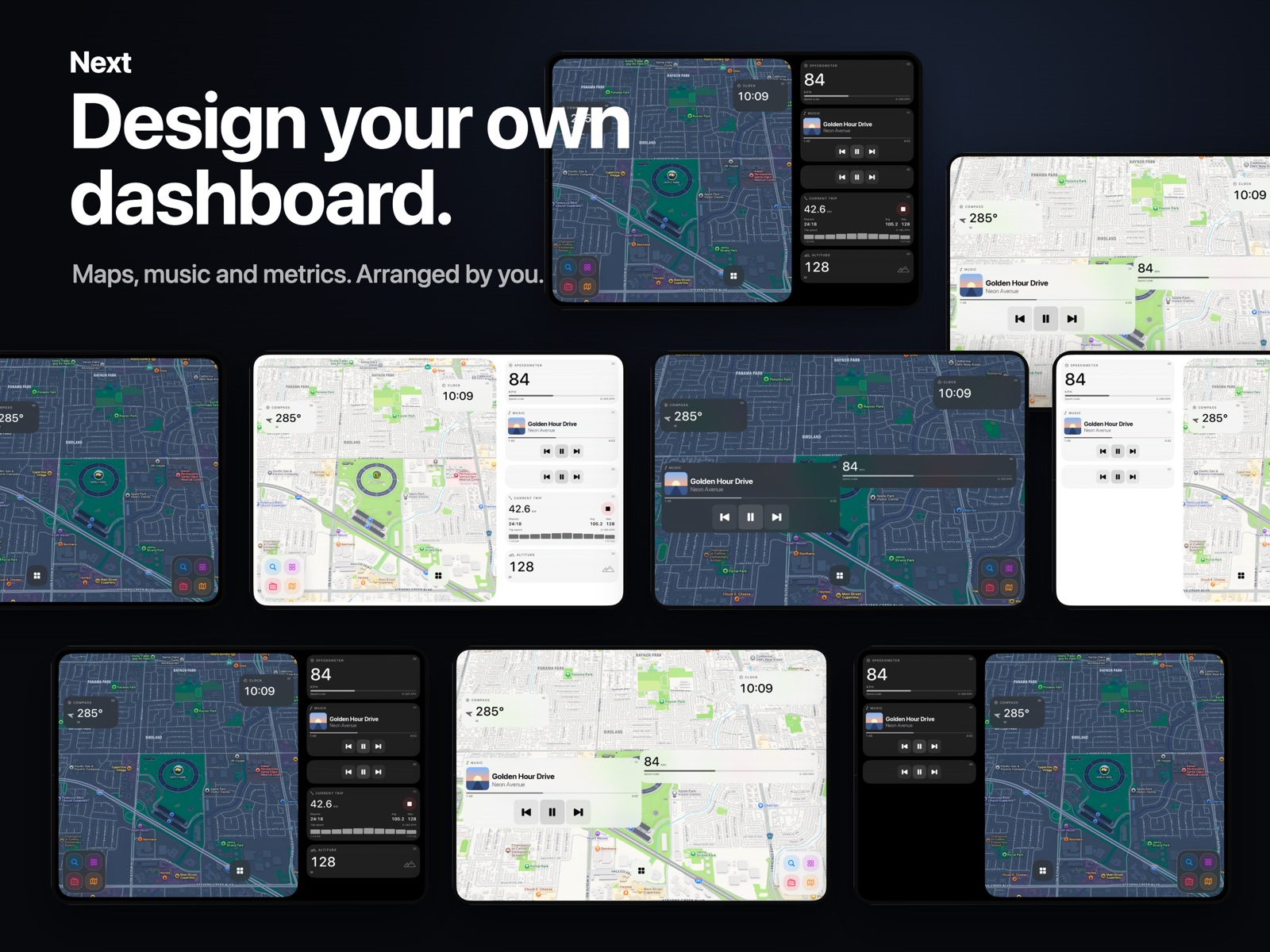
Custom dashboards
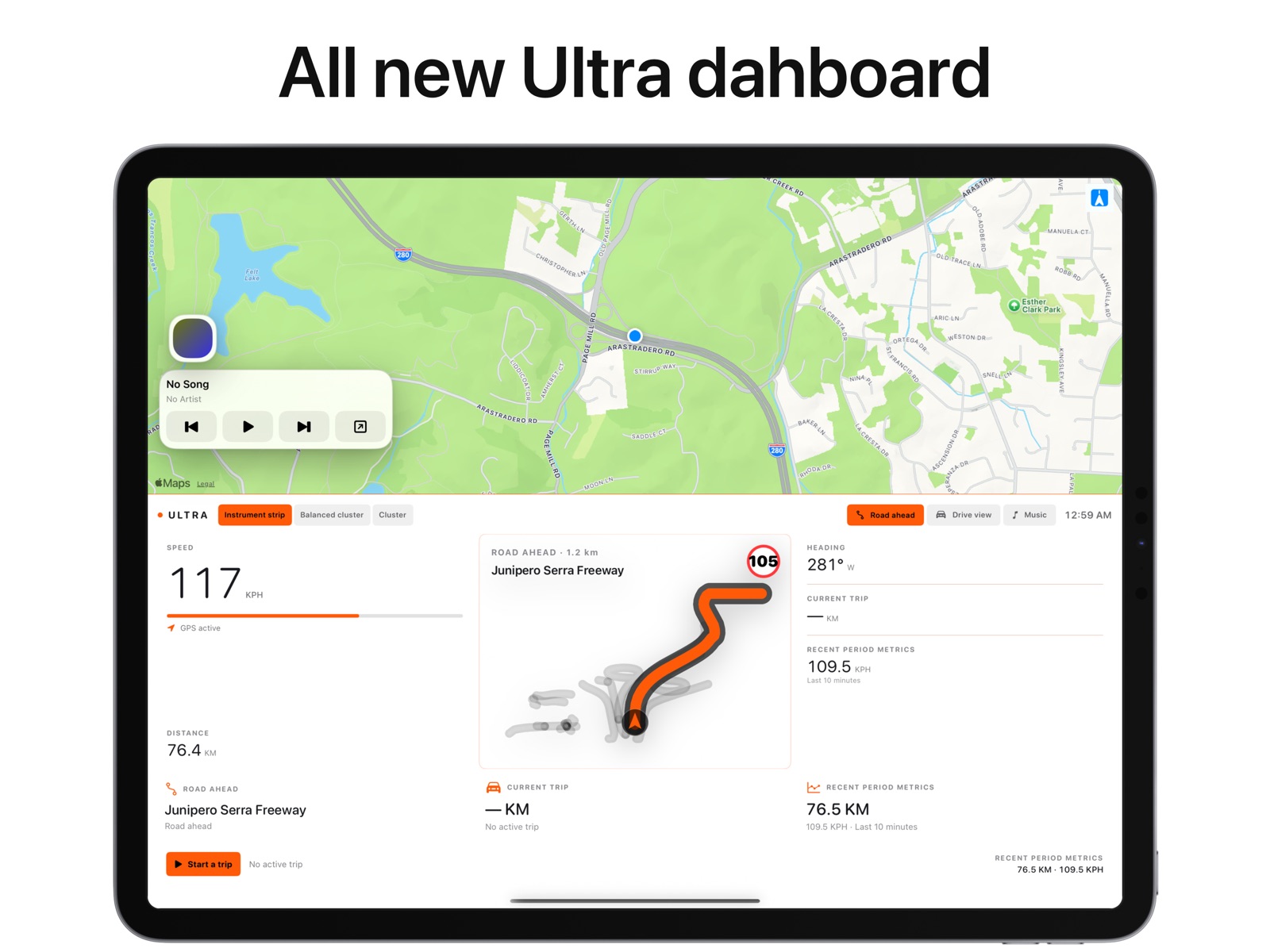
- Build your own: speedometer, music, compass, trip, altitude, clock
- Sidebar left or right, or floating widgets over the map
- Ready-made designs: Barcelona, Ultra, Miami, Chikka
And more
- Siri support
- Share your live location or save your parking spot
- Wi-Fi iPad? Pair Next Companion on your iPhone for GPS
- English, German, Hindi, Spanish, French, Chinese, Korean
How it works
- Mount your iPad or iPhone on the dashboard or air vent, somewhere that doesn't block your view or an airbag.
- Connect sound to the car: Bluetooth, an AUX cable, or an FM/cassette adapter for very old stereos.
- Power it with a USB car charger so it stays on for long drives.
- Open Next, pick a dashboard design, set your destination before you start, and drive.
Full walkthrough, including mounts, Wi-Fi iPads and other options for older cars: How to add a modern screen to an older car.
FAQ
Can I use an iPad as a car screen in an older car?
Yes. Mount the iPad on the dashboard, connect it to the car stereo over Bluetooth or AUX for sound, and open Next Car Dashboard. It shows navigation, music, live speed and trip stats on one landscape screen. No extra hardware or wiring into the car is needed.
Does it work on a Wi-Fi only iPad without GPS?
Wi-Fi iPads have no GPS chip. Pair the free Next Companion app on your iPhone (or use an external GPS receiver) and Next uses that location for maps, navigation and the speedometer. Cellular iPads have GPS built in.
Does Next Car Dashboard need a subscription?
No. The app is a free download and Next Pro can be unlocked with a one-time Lifetime purchase. There is no forced subscription.
Does it work on iPhone too?
Yes. Next is designed for iPad first, with full iPhone layouts in portrait and landscape, including navigation with route choices and journey progress.
Does it replace my car's stereo or connect to the car's own display?
No. Next runs on your iPad or iPhone, which becomes the screen. Sound goes to the car through Bluetooth, AUX or a cassette/FM adapter. It does not mirror onto the car's factory display and needs no OBD sensor.
Can Next record dashcam video?
Yes. NextCam records with the front and back cameras at the same time and saves the videos to Photos.
Which navigation and music apps does it support?
Turn-by-turn navigation uses Google Maps, with Apple Maps for browsing and search. Music works with Apple Music and Spotify, plus built-in internet radio.
Does Next collect my location data?
No. Location data stays on your device and Next does not collect personal information.
Get Next
Free on the App Store for iPad and iPhone.
Download on the App Store